
Quick Answer
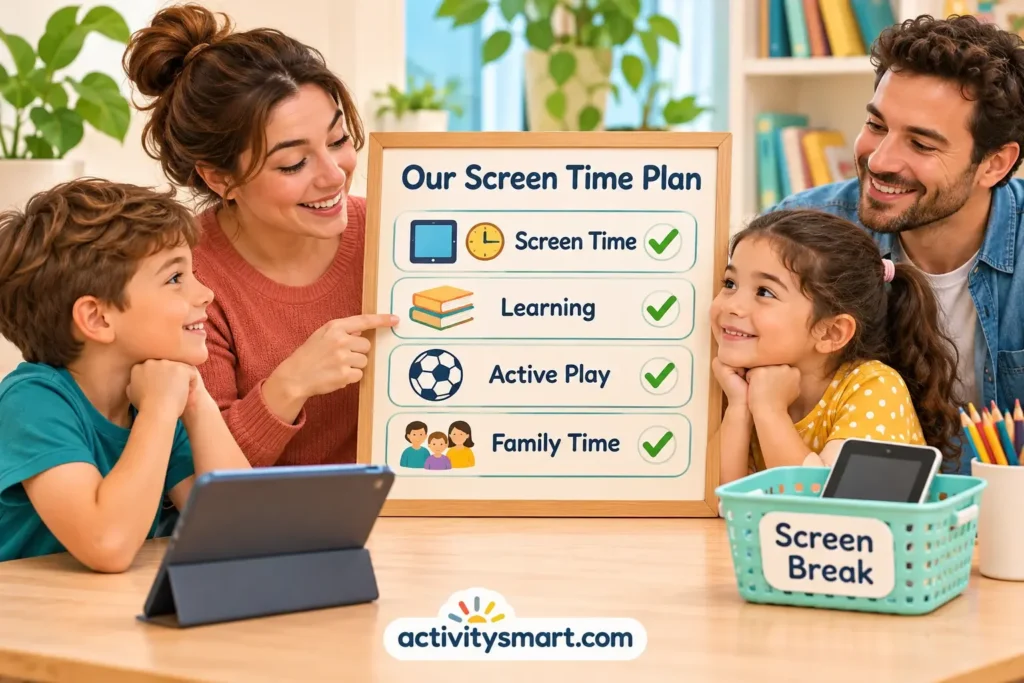
To set screen time boundaries for kids without constant arguments, agree on predictable viewing windows, protect sleep and family routines, choose age-appropriate content, and give a calm warning before stopping. Offer a specific next activity and hold the boundary kindly. Expect some protest while children learn the new routine; consistency matters more than winning every transition.
Quick Picks
- Start with one dependable screen-free moment, such as dinner or the bedtime routine.
- Use a visual schedule for younger children and collaborative rules for older children.
- Turn off autoplay before viewing begins, not during an argument.
- Keep the ending predictable: warning, stop, acknowledge feelings, move to a planned activity.
- Review the plan after a week; change unrealistic rules without abandoning essential limits.
Healthy screen time boundaries for kids are not simply a stopwatch rule. They help a child know when media fits into the day, what kinds of media are suitable, and what happens when a session ends. A preschooler may need pictures and close adult support; a ten-year-old can help negotiate a schedule within adult-set safety limits.
The goal is fewer repeated negotiations, not a promise that children will never be upset. If the screen currently fills every waiting moment, introduce changes gradually and make sure attractive, realistic alternatives exist. Families juggling work, caregiving and limited space need workable rules rather than perfection.
Why Screen Time Arguments Happen
Stopping a rewarding activity is a difficult transition
A child may understand the rule in a calm conversation yet still feel disappointed when a favorite game ends. Games can contain unfinished levels; shows may end on cliffhangers. Autoplay and endless feeds also remove natural stopping points. The American Academy of Pediatrics (AAP) digital-world guidance explains why platform design, content quality and family context matter alongside minutes.
Treat resistance as information, not proof that the child is manipulative or that the rule has failed. Notice whether conflict happens after a long session, at a predictable time of day, or when a device is removed without warning. Those details help you change the transition rather than merely repeating the same command louder.
Inconsistent exceptions make the finish line unclear
When a ten-minute limit sometimes becomes forty minutes after repeated pleading, children cannot easily predict what the limit means. A parent can still make a deliberate exception for travel or illness. The useful distinction is whether an exception is announced ahead of time or granted as a response to escalating demands.
Set Screen Time Boundaries for Kids Around Daily Needs
Protect the essentials before choosing a number
Begin by mapping bedtime, meals, school, active play, reading, social time and needed family tasks. Then decide where entertainment screens can fit without regularly pushing those activities aside. The AAP recommends looking beyond a single number toward the quality, context and consequences of media use. A screen used for a video call with family is different from a stream of autoplay clips.
Sleep deserves particular attention. The CDC sleep guidance lists 10–13 hours per 24 hours, including naps, for ages 3–5 and 9–12 hours for ages 6–12. These are sleep recommendations, not screen allowances. If late media use delays bedtime or a child is tired in the morning, adjust the evening routine before arguing over a universal daily quota.
Use age guidance without treating every child as identical
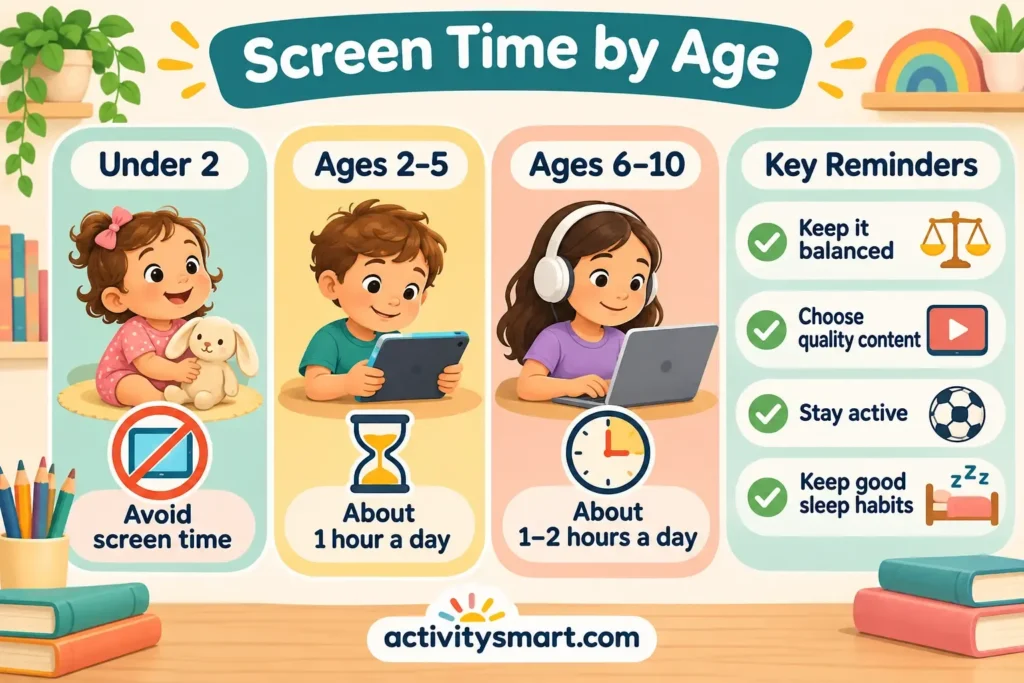
For preschoolers, the CDC parenting guidance for ages 3–5 advises no more than one hour a day of quality programming and a family media plan. The WHO guidelines for children under five similarly emphasize limiting sedentary screen time and preserving play and sleep. These are population-level recommendations, not a test of whether an individual parent is doing well.
For elementary-age children, there is no single number that automatically makes all media healthy or harmful. Consider the child’s responsibilities, sleep, content, ability to disengage and opportunities for movement. School-required digital work should be discussed separately from recreational viewing so homework does not silently consume the entire entertainment allowance.
| Age and situation | Practical boundary | Adult support |
|---|---|---|
| 3–5: short shows or simple apps | Use a small planned window and quality content; CDC guidance recommends no more than one hour daily. | Co-view when possible, use a picture schedule and help with stopping. |
| 6–8: games and videos | Set a clear start, finish and screen-free routines rather than relying on a vague daily promise. | Preview content, use a timer and practice an offline transition. |
| 9–10: games, messaging and school tools | Agree on recreational windows, device locations and privacy rules; keep school tasks distinct. | Invite input, review use together and keep safety decisions with adults. |
| Any age: sleep or distress affected | Reduce or reschedule the activity causing the problem and seek individual advice if needed. | Observe patterns and respond without blame. |
This table is a planning guide, not evidence that one specific timer technique improves learning outcomes. Children with disabilities, sensory differences or communication needs may require customized cues and transition supports. The boundary can remain predictable while the method becomes more accessible.
Build a Family Media Plan Children Can Understand
Choose a few rules that describe what happens
A useful plan answers four questions: when can we use a screen, where can we use it, what can we watch or play, and what happens when time ends? For example: “After snack, we can watch one selected episode in the living room. When the credits finish, we put the tablet on its shelf and choose a game.” That sentence is easier to act on than “Do not spend too much time online.”
The AAP family media plan resource recommends screen-free zones, switching off autoplay and notifications, choosing suitable content, planning enjoyable offline activities and reviewing rules as children grow. Write your own version in family language. If a rule depends on an adult being available, make sure that adult can realistically follow through.
Give children bounded choices, not control over safety
Invite children to choose between two appropriate viewing times, select from preapproved shows or pick the activity that follows. A six-year-old might choose whether to watch before or after outdoor play. A ten-year-old might propose weekend gaming windows and discuss how to handle an unfinished level. Adults still decide what content is safe, what information can be shared and whether devices belong in bedrooms.
Write the stopping routine before the screen starts
Agree on a finish signal that the child can recognize: the end of an episode, a timer that is visible, or a planned save point in a game. Choose a signal that is compatible with the activity. For an online multiplayer game that cannot be paused safely, avoid starting a round too close to the stopping time. An adult can help check the remaining time before play begins.
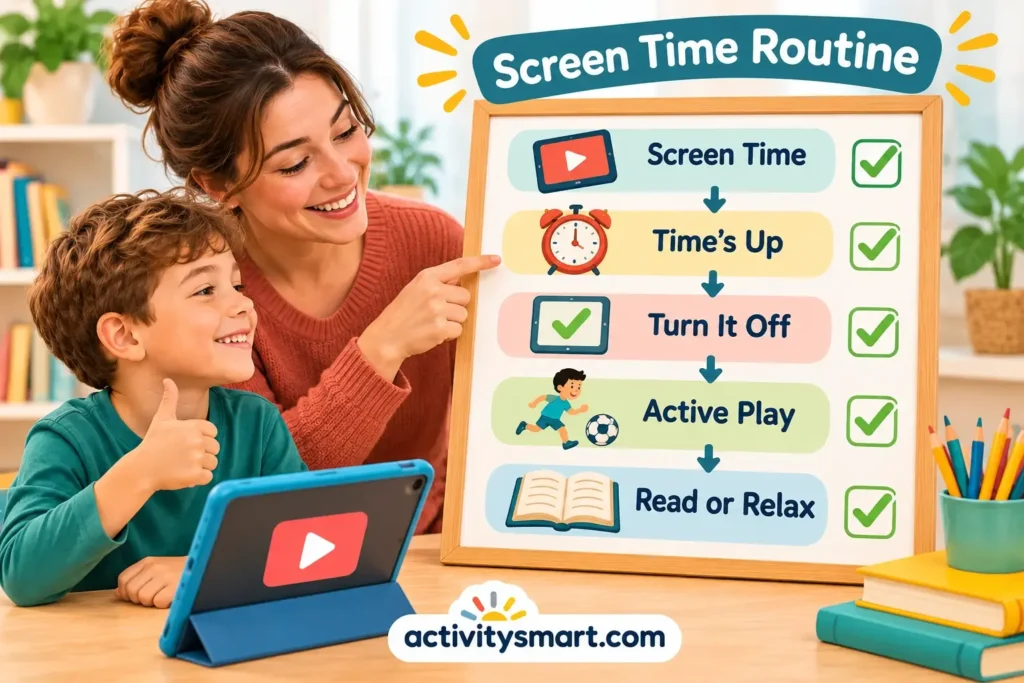
For children who benefit from visual structure, draw three simple pictures: screen, put away, next activity. Point to the sequence before starting and again when the warning sounds. The pictures are communication aids, not a punishment chart. Keep the routine consistent for several days before judging whether it helps.
A Calm Script for Ending Screen Time
Give a brief warning and a concrete endpoint
Try: “This episode is almost finished. When the credits come on, the tablet goes on the shelf.” If the child is engrossed, move close, say their name and check they heard. Avoid calling repeatedly from another room. Some children need a five-minute warning; others become more upset with repeated countdowns. Observe what works for your child.
At the endpoint, state the rule once: “The show is finished. It is time to put the tablet away.” Do not add a lecture about brain development in the middle of a hard transition. Use a neutral tone and be ready to help the child move physically toward the next step.
Validate feelings without reopening the limit
You can say, “You wish there were another episode. It is disappointing to stop.” Then repeat the action: “The tablet is finished for today. Would you like to build a tower or help prepare the snack?” This separates empathy from permission. A child can be upset and still follow a family rule with adult help.
If a child cries, focus on safety and regulation rather than demanding immediate cheerfulness. Give space, stay nearby and use few words. Do not threaten to remove all future privileges because a child expressed disappointment. Once everyone is calm, discuss whether the planned ending was realistic and how tomorrow could go more smoothly.
Respond to repeated bargaining with a short, steady answer
When the child asks “Just one more?” a useful response is: “Not today. We already chose the stopping point.” Then redirect to the next step. Long debates may turn the transition into a negotiation contest. If the plan truly needs changing, schedule that discussion for a neutral moment, not the instant a device is being put away.
Choose Better Screen Content, Not Just Less of It
Look at design features and the child’s response
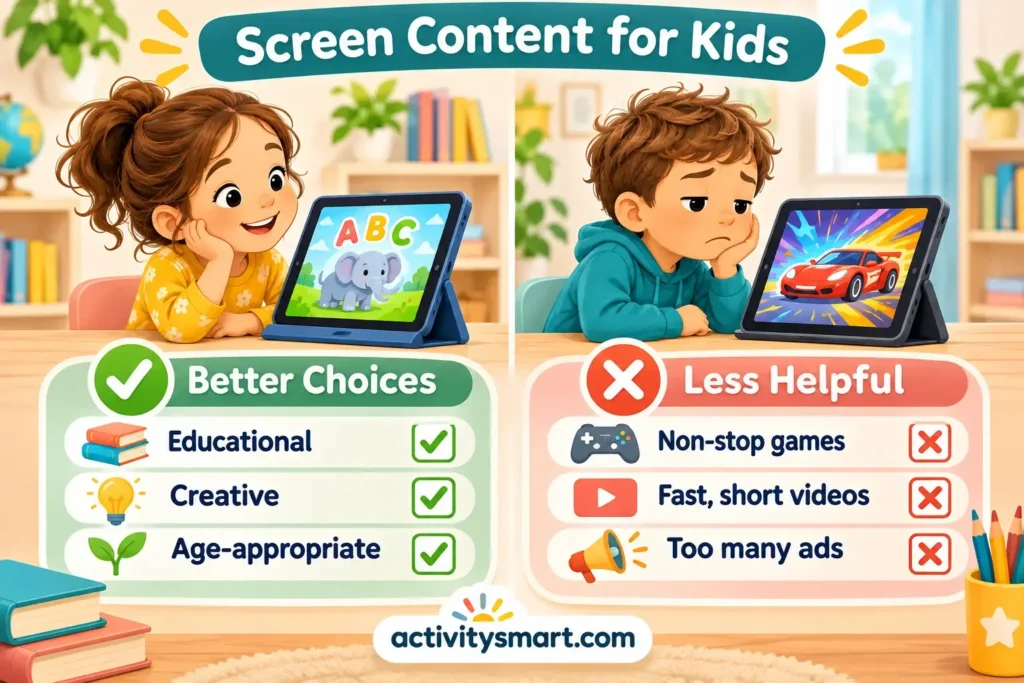
Check whether an app includes autoplay, chat with strangers, in-app purchases, aggressive advertising or rewards for endless use. Look at age ratings, but do not treat a rating as a substitute for previewing content. Sit with the child occasionally and ask what they are making, learning or enjoying. A child who can explain a creative project may be using a device differently from one stuck in an endless stream of clips.
Co-viewing can open conversations about advertising, privacy and confusing scenes. For example, ask: “Is that part of the story or an ad trying to sell something?” Keep personal details, photographs and location information out of public posts and chats. For young children, disable social features unless there is a clear supervised purpose.
Compare common media choices
| Media experience | Potential benefit | Boundary or caution |
|---|---|---|
| Co-watched story or documentary | Shared discussion and new vocabulary | Choose suitable material and leave time to talk. |
| Creative drawing or music app | Opportunity to make and revise something | Check privacy, ads and whether offline making is also available. |
| Fast autoplay video feed | Entertainment | Weak stopping points and unpredictable recommendations; prefer curated selections. |
| Online multiplayer game | Social interaction and collaboration may occur | Review chat, contacts, purchases and round length. |
| School-assigned activity | May support a defined learning task | Check the task’s purpose; provide breaks and avoid treating it as free leisure time. |
These are practical distinctions, not proof that one format always produces better outcomes. Quality depends on the actual content, the child, the adult support and what the activity replaces. For a related discussion of creative digital experiences, see whether online coloring is useful for children.
Make the Next Activity Easy to Start
Prepare a small menu before switching off
A screen often wins because it is ready instantly while a craft requires finding paper, clearing a table and locating pencils. Reduce that friction. Keep two or three realistic choices in reach: a favorite book, blocks, drawing supplies, a ball or a simple board game. A choice board works best when it reflects what your child actually enjoys, not what adults think looks educational.
Use everyday routines as natural anchors
The end of a show can lead to snack preparation, a walk, bath time or a family game. When the sequence repeats, the child knows what comes next. If mornings are difficult, the calm morning routine guide offers ideas for organizing transitions without adding another digital reward.
For a quiet afternoon, choose from printable alphabet activities or open-ended drawing rather than replacing every video with a worksheet. Some children need movement after sitting; others need a calm, low-demand activity. Follow the child’s energy and avoid framing every screen-free minute as a lesson.
Offer active and hands-on options without making them mandatory rewards
Build a paper airplane, sort buttons by color with age-safe materials, or create a pretend shop with household objects. For hand-strength and coordination ideas, browse fine motor activities. If scissors are involved, use age-appropriate tools and direct supervision; the preschool scissor skills guide provides a more focused starting point.
A child who wants to write a sign for the pretend shop might enjoy the name-writing guide. None of these alternatives needs to be presented as morally superior to media. Their purpose is to widen the menu of enjoyable experiences so the screen is one option rather than the only easy one.

Troubleshoot Common Screen-Time Battles
The child melts down every time the device goes away
First check whether the schedule is too unpredictable, the content is unusually hard to stop or the child is hungry, tired or overwhelmed. Move viewing earlier, choose media with a clear ending and practice the stopping routine during an easier part of the day. If a child repeatedly becomes unsafe, prioritize immediate safety and seek individualized support rather than escalating consequences.
Screens have become the default homework reward
An automatic “finish homework, earn a device” system can create pressure when a child is already struggling. Consider a snack, movement break or shared game as alternatives. If schoolwork itself causes repeated conflict, the homework frustration guide can help distinguish task difficulty from the screen-time dispute.
For required online homework, define a purpose and stopping point: “Complete the assigned reading activity, then close the laptop.” If the platform encourages unrelated videos or games, help the child navigate directly to the task and remove unnecessary tabs. Talk with the teacher if assignments consistently require more device time than your family can reasonably manage.
Caregivers disagree about the rules
Choose two nonnegotiables first, such as no devices at meals and a predictable bedtime cutoff. Discuss exceptions privately rather than contradicting another adult in front of the child. Shared custody arrangements or extended-family care may involve different household rules; explain the difference plainly instead of asking a child to enforce adult consistency.
A long-standing habit needs to change
Announce the new plan at a calm time and explain the reason in simple terms: “We need more time to sleep and play together.” If current use is extensive, a staged adjustment may be more practical than an abrupt overhaul. Keep the essential boundaries clear while changing one routine at a time, and review after several days of observation.
Safety, Accessibility and When to Seek Help
Do not use controls as a substitute for conversation
Device settings can block purchases, limit contacts and help enforce agreed windows, but filters are imperfect. Review apps and games, use child-appropriate accounts and keep communication open so children can report something upsetting without fearing an automatic punishment. Avoid covert monitoring when a transparent, age-appropriate safety conversation is possible.
Do not use humiliation, frightening threats or physical force to end ordinary screen sessions. Never leave a distressed child unsupervised near hazards during a conflict. If a child has sensory sensitivities, communication differences or disabilities, adapt timers, visuals and transitions to their needs. A predictable routine should support the child, not demand identical behavior from every child.
Recognize problems that deserve professional attention
Talk with a pediatrician or qualified child mental-health professional if screen use repeatedly disrupts sleep, school, relationships or daily functioning, or if severe distress persists despite reasonable changes. Ask for guidance when concerns involve developmental differences or emotional regulation. The goal is to understand the whole situation, not to label a child as “addicted” based on a single argument.
A Seven-Day Reset You Can Adapt
- Day 1 — Observe: Write down when screens are used, what the child watches and which transitions are hardest. Do not change everything yet.
- Day 2 — Choose priorities: Protect meals, sleep and one daily connection period. Decide what recreational window is realistic.
- Day 3 — Explain: Share two or three rules in calm language. Invite the child to choose a suitable viewing slot or offline activity.
- Day 4 — Prepare: Disable autoplay, set up device restrictions and put a visual schedule or written plan where everyone can see it.
- Day 5 — Practice: Give a warning, stop at the agreed endpoint and acknowledge disappointment without reopening the rule.
- Day 6 — Adjust: If one transition is consistently difficult, change the timing or content while keeping safety and sleep priorities.
- Day 7 — Review: Ask what felt fair, what was difficult and which alternative activities were genuinely enjoyable.
This week-long sequence is a practical planning exercise, not a clinically tested intervention or a promise of a seven-day cure. Families may need longer to settle into a routine. The useful measure is whether expectations become clearer and daily life feels more balanced, not whether every disagreement disappears.
Common Mistakes to Avoid
- Changing the rule mid-tantrum: Make planned exceptions before a session begins rather than after repeated bargaining.
- Using only a timer: Pair the signal with a clear endpoint, an empathetic response and a next activity.
- Ignoring content design: Autoplay, online rounds and surprise recommendations can make stopping harder.
- Applying adult standards only to children: Put your own phone away during agreed family moments when possible.
- Replacing every screen with structured work: Leave room for free play, rest and boredom.
- Treating every complaint as a crisis: Disappointment can coexist with a safe, reasonable boundary.
- Using a single number as the whole plan: Check sleep, content, relationships and the child’s functioning as well.
Final Verdict: Predictability Beats Daily Negotiation
Healthy boundaries work best when children know what to expect before a screen turns on. Begin with the routines that matter most, select suitable content, plan a recognizable ending and keep appealing alternatives available. Adults can remain kind and consistent even when children are disappointed. Review the plan as school demands, interests and family circumstances change.
Frequently Asked Questions
How much screen time should a preschooler have?
For ages 3–5, CDC guidance recommends no more than one hour per day of quality programming. Co-view when possible, prioritize play and sleep, and discuss individual needs with your pediatrician.
Is there one safe daily screen-time limit for every child aged 6–10?
No, one universal daily number cannot capture differences in content, sleep, schoolwork and family circumstances. Set recreational windows and check whether media is displacing important daily activities.
What should I say when my child begs for one more episode?
Say calmly that the agreed viewing time has ended, acknowledge the disappointment and name the next activity. Revisit the schedule later rather than negotiating during the transition.
Should I take the tablet away immediately during a tantrum?
Prioritize safety and follow the agreed stopping routine rather than escalating a power struggle. Stay calm, give the child space to settle and seek tailored help if reactions become dangerous or persistent.
Do educational apps count as screen time?
Yes, educational apps still involve screen use, although their purpose and quality may differ from entertainment. Consider the learning task, adult involvement and what other activities the app replaces.
Are screen-time timers helpful for young children?
Timers can help when a child understands the signal and knows what happens next. Pair the timer with a warning, a clear endpoint and a prepared transition; a timer alone is not a guarantee.
Should children use screens before bedtime?
It is sensible to keep the period before bed screen-free, especially if devices delay sleep or increase stimulation. The AAP recommends protecting bedtime routines, and the CDC advises turning off electronic devices at least 30 minutes before bed.
What if grandparents allow more screen time than parents do?
Agree on a few essential boundaries with other caregivers and explain them respectfully. Different households may have different details, but shared sleep and safety priorities reduce confusion.
When should I ask a professional about screen-related behavior?
Ask a pediatrician or qualified child mental-health professional when media use persistently interferes with sleep, learning, relationships or daily functioning, or when distress becomes severe. Individual assessment is more useful than diagnosing a child from screen minutes alone.
Sources and Further Reading
- American Academy of Pediatrics: Helping Kids Thrive in a Digital World — guidance on content, design, family routines and digital safety.
- American Academy of Pediatrics: How to Make a Family Media Plan — practical rules and family planning.
- CDC: Positive Parenting Tips for Preschoolers — preschool media and sleep guidance.
- CDC: About Sleep — age-based sleep recommendations.
- World Health Organization: Guidelines for Children Under Five — movement, sedentary behavior and sleep.