Is online coloring good for kids? Yes, when it is used in short, relaxed sessions. It builds focus, color knowledge and hand control, and it is a calm screen activity. Try it free with our online coloring studio for kids.
What Is Online Coloring?
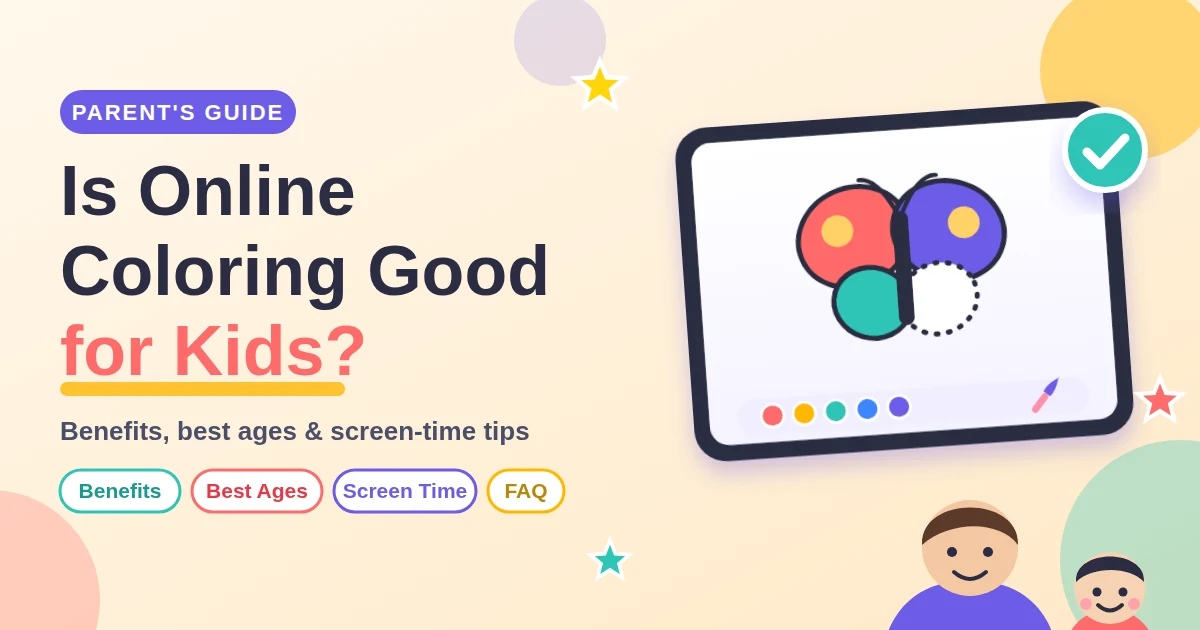
Online coloring lets children color a picture on a phone, tablet or computer. They tap to fill a shape or paint with a finger, stylus or mouse. Good tools offer simple brushes, an undo button and a way to save or print the result. Our free coloring studio has marker, crayon and spray brushes, a fill tool, 40 stickers, and PNG and PDF downloads. No account is needed. Many parents search for “is online coloring good for kids” before letting their child try it, and the short answer is yes when it is simple, ad-free and used in moderation.
Is Online Coloring Good for Kids? 5 Key Benefits
Coloring is simple play, yet it supports many early skills. Results vary from child to child, but parents and teachers commonly see these benefits:
- Fine motor skills: controlling a brush or finger builds hand strength and precision that later help with writing.
- Focus and patience: finishing a picture teaches children to stay with a task.
- Color and shape recognition: naming colors and objects grows vocabulary.
- Creativity and confidence: there is no wrong color, so kids feel free to experiment.
- Calm time: a quiet activity can help children unwind after school.
For extra practice away from the screen, try our printable coloring pages and worksheets.
What Is the Best Age to Start Coloring Online?
Is online coloring good for kids of every age? Not quite, because needs change as children grow. The WHO guidelines for children under 5 do not recommend screen time for 1-year-olds, and say sedentary screen time for ages 2 to 4 should be no more than 1 hour a day (less is better). So use paper for the youngest children, and start short, shared online sessions from about age 2. Every child develops at their own pace, so use this table as a rough guide.
| Age | What to expect | Best tools |
|---|---|---|
| 2–3 years | Scribbles, big color splashes. Short sessions with a grown-up nearby. | Fill tool, large brush, very simple pictures |
| 4–5 years | Starts to stay inside the lines and choose colors on purpose. | Fill tool, medium brush, “stay inside the lines” |
| 6–8 years | Adds detail, shading and stickers. Can work alone for longer. | Crayon and marker brushes, zoom, stickers |
| 9+ years | Enjoys complex scenes and own color schemes. | Small brush, zoom, upload your own picture |
Is Online Coloring Safe? Screen Time and Privacy
Is online coloring good for kids from a screen-time point of view? It is one of the gentler screen activities because it is creative rather than passive. Still, a few habits keep it healthy:
- Follow your pediatrician’s advice and the WHO limits above: none under age 2 and no more than 1 hour a day for ages 2 to 4.
- Sit with younger children and talk about their colors.
- Choose tools without ads, pop-ups or chat features aimed at kids.
- Check where artwork is stored. On ActivitySmart, the Coloring Basket is saved in your own browser, so clearing browser data removes it. Download favorites to keep them.
Online Coloring vs. Paper Coloring: Which Is Better for Kids?
Is online coloring good for kids more than paper coloring? Not necessarily. You do not have to pick one, because each has strengths and they work well together.
| Online coloring | Paper coloring | |
|---|---|---|
| Mess | None. Undo in one tap. | Crayons, markers and paint can get messy. |
| Grip practice | Lighter, finger or stylus control. | Better for pencil grip and hand strength. |
| Color choice | Unlimited colors and stickers. | Limited to the box you own. |
| Travel | Works anywhere with a device. | Needs paper and supplies. |
| Keeping | Save as PNG or PDF, or print. | Ready for the fridge. |
A nice mix: color online, then print the finished page and add details with real crayons.
How to Get Started in 5 Easy Steps
- Open the ActivitySmart Online Coloring Studio.
- Pick a picture from the library, or upload your own.
- Choose a brush or the fill bucket and a color.
- Add stickers and type your child’s name and date.
- Save as PNG or PDF, share the link or print it.
Tips for Parents
Let your child choose the picture
Interest keeps focus. Browse animal, vehicle or holiday pages together.
Praise effort, not perfection
A purple sky or a green dog is fine. Ask “Tell me about your picture” instead of “Why that color?”.
Keep sessions short
10 to 20 minutes is plenty for most young children. End on a high note and save the picture for tomorrow. The answer to “is online coloring good for kids” mostly comes down to balance, so keep it short and varied.
Use “stay inside the lines” wisely
Turn it on for beginners who get frustrated. Turn it off to encourage free, expressive painting.
Parents’ Most-Asked Questions About Coloring
Is online coloring good for kids?
Yes, in moderation. Coloring online is a creative activity that can support focus, color knowledge and hand control. Keep sessions short, join in with younger children and balance it with paper coloring and outdoor play.
At what age can my child start coloring on a tablet?
WHO guidelines do not recommend screen time for 1-year-olds. From about age 2, short coloring sessions with a parent nearby can work well. Every child is different, so follow your pediatrician’s screen-time guidance.
How long should my child color online each day?
WHO guidelines say sedentary screen time for ages 2 to 4 should be no more than 1 hour a day, and less is better. A 10 to 20 minute coloring session fits well within that. Follow your pediatrician’s advice on total daily screen time.
Is online coloring good for kids with short attention spans?
It can be. Simple pictures, the fill tool and the Undo button give quick wins and lower frustration. Start with about 5 minutes and build up slowly. If you have concerns about your child’s attention, talk to your pediatrician.
Is online coloring better than coloring on paper?
Neither is better. Paper builds pencil grip and hand strength, while online coloring is mess-free, has unlimited colors and is easy to take anywhere. Using both gives children the best of each.
Does online coloring help with handwriting?
It can help indirectly by building hand-eye coordination and control. For handwriting itself, children still need pencil practice, so mix online coloring with paper coloring and tracing worksheets.
Why does my child go outside the lines?
This is normal, especially under age 5. Fine motor control is still developing. Try the “stay inside the lines” option or the fill tool, and praise effort rather than neatness.
My child only uses one color. Should I worry?
Usually not. Young children often have a favorite color or enjoy exploring one color deeply. Gently invite more by asking, “What color could the sun be?” without pushing.
Is the ActivitySmart coloring tool free?
Yes. The online coloring studio is free to use, and you can save or print pictures without signing up.
Does my child need an account to color?
No. Your child can start coloring right away without creating an account or sharing an email address.
Can my child use their finger on a phone or tablet?
Yes. The studio works with touch, mouse and stylus. Pinch with two fingers to zoom in on small details.
How do I save or print my child’s artwork?
After coloring, add a name and date, then choose Save picture for a PNG or Save PDF for a printable file. You can also print directly, or add pages to your Coloring Basket and print them together on A4 or US Letter paper.
Can my child color their own drawing or photo?
Yes. Choose Upload my picture and adjust the detail slider to show fewer or more lines. This is a fun way to turn a family drawing into a coloring page.
Are my child’s pictures saved online?
The Coloring Basket is saved in your own browser. Clearing your browser data removes it, so download any artwork you want to keep.
What if my child gets frustrated while coloring?
Switch to simpler pictures, use the fill tool or take a break. Remind them that mistakes are easy to fix with the Undo button.
So, is online coloring good for kids? For most families, yes. Keep it short, keep it shared and mix it with paper coloring and active play. Then let your child lead, and enjoy the colorful results.
Ready to Color Together?
Open the free studio, pick a picture and let your little artist create.
🎨 Start Online Coloring