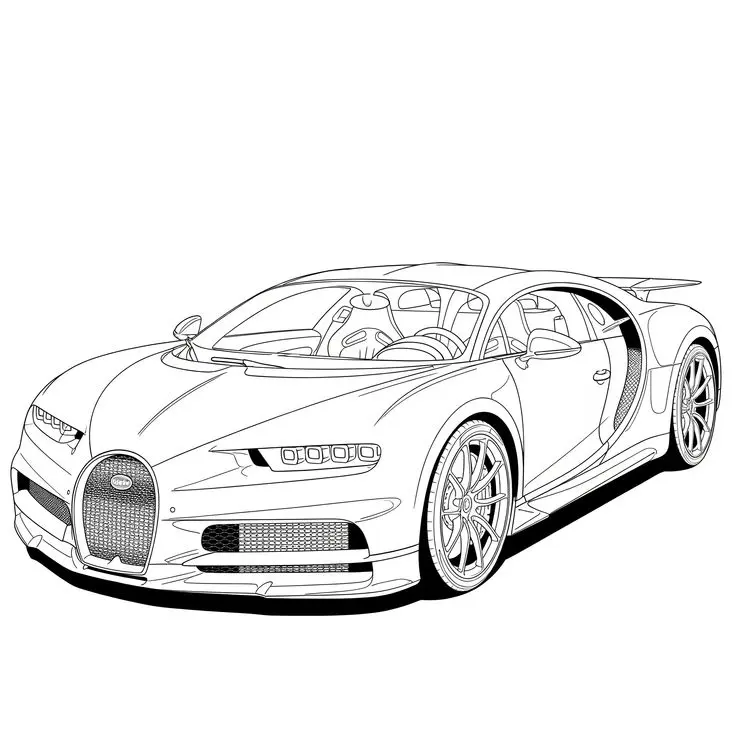
Detailed Bugatti Sports Car
If you enjoy car coloring pages with mechanical detail, this Bugatti picture offers curved bodywork, patterned wheels, and a clearly outlined cabin. Download the original image and plan a few colors before filling the narrow spaces. You can concentrate on the broad hood first or work on just one wheel without completing the whole vehicle.
More Coloring Pages
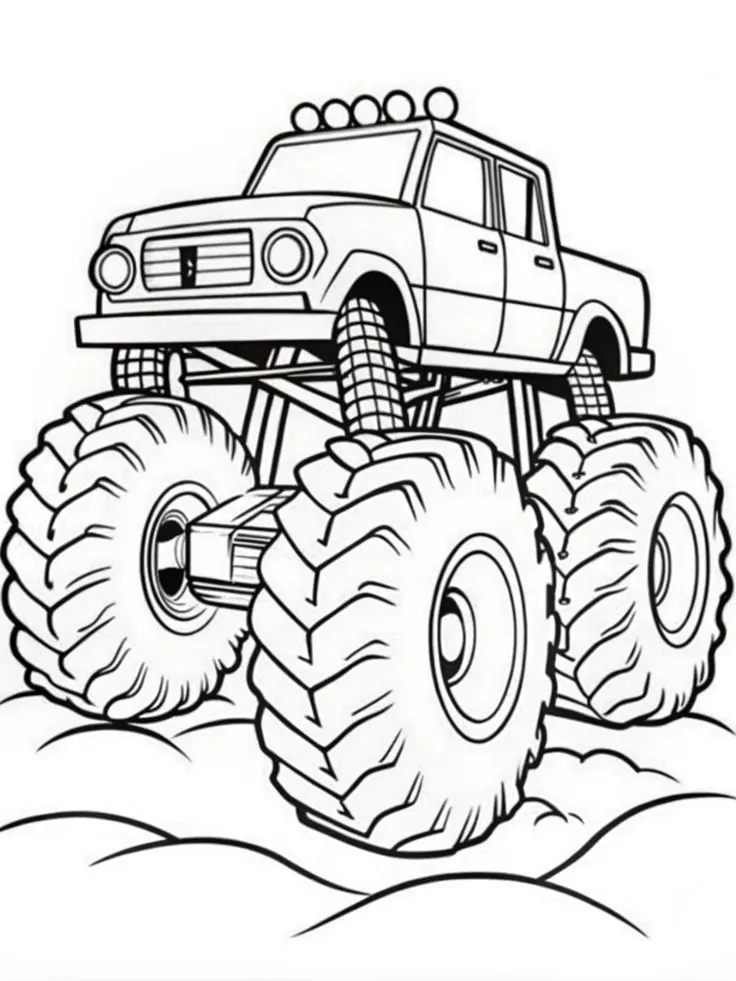
Monster Pickup Truck on Bumpy Ground Coloring Page
Color a towering monster pickup truck with giant treaded tires, exposed suspension, five roof lights, and rounded bumps…
View printable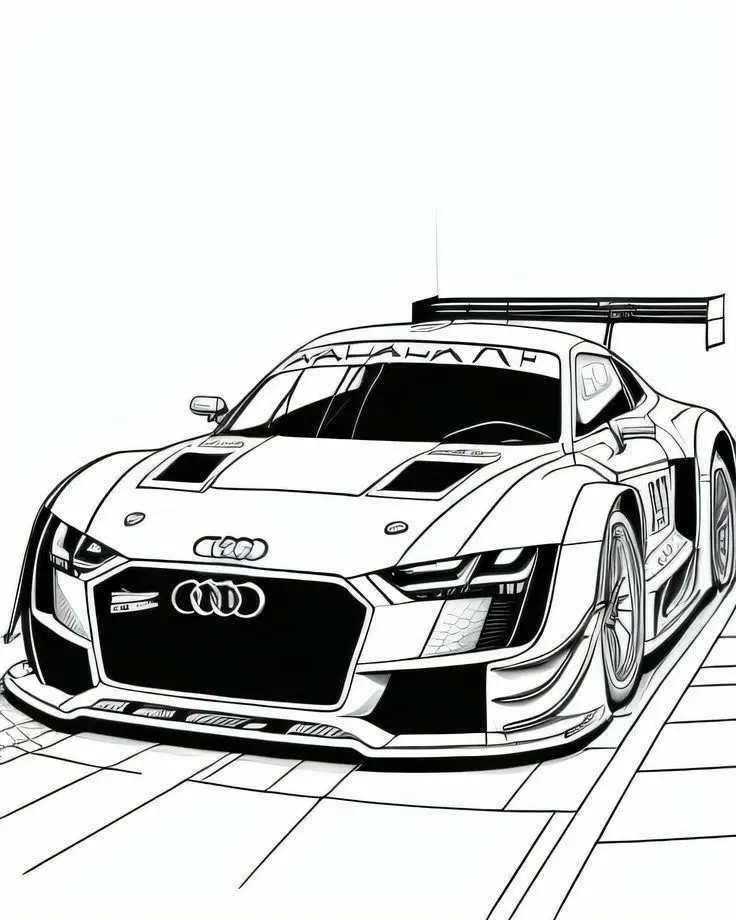
Audi Race Car with Rear Wing Coloring Page
Bring an Audi race car illustration to life with color. Explore its large rear wing, broad front grille,…
View printable
Armored Police Truck Coloring Page
Color a detailed armored police truck with large treaded tires, reinforced windows, a roof-mounted turret, and bold POLICE…
View printable
Smiling Airplane with Clouds and Sun Coloring Page
Color a cheerful cartoon airplane flying among four fluffy clouds beneath a smiling sun. Bold outlines and spacious…
View printable
Strawberry Layer Cake Coloring Page
Decorate a strawberry layer cake with your own colors. Thick outlines define the dripping icing, horizontal layers, berry…
View printable
Cute Kitten in a Donut Coloring Page
Color a wide-eyed kitten sitting inside a large iced donut. Sprinkles, tiny paw pads, whiskers, and floating hearts…
View printable
Winged Strawberry Cake Coloring Page
Explore a whimsical cake coloring page with little wings, a smiling face, strawberry and cherry toppings, floating clouds,…
View printable
Smiling Cherry Cake Coloring Page
Give this smiling cake your favorite colors. A cherry, swirled topping, sprinkles, hearts, and stars decorate the cheerful…
View printablePicture details for car coloring pages
The sports car is shown from a front three-quarter angle, so both the front grille and the near side are visible. A tall horseshoe-shaped grille stands between low front openings, and small headlight sections sit above them. Fine lines describe the mesh in the grille and air intakes. These printed marks already provide texture; they do not need to be individually filled to make a finished picture.
The side has a large curved intake behind the door, while the rear spoiler projects above the back. Through the windshield and side glass, the steering wheel and seats remain visible. The wheels contain many narrow spokes and smaller internal details. A plain white background keeps attention on the vehicle rather than a road scene. No driver or race event is shown in the illustration.
Four ways to explore this drawing
Plan a divided body color
Follow the existing body seams to separate two colors rather than drawing random patches across the car. You could pair a blue hood and front fenders with a darker side section, or use a single red shade with lighter pressure on the upper surfaces. Test the combination on scrap paper first. Leave a narrow white highlight where you want the curved body to look brighter, while keeping the original outlines readable.
Explore the wheel spokes
Choose one visible wheel and follow its spokes outward from the center. Try silver-gray pencil on the spokes and a darker gray on the tire. Instead of pressing hard into every tiny gap, let the printed lines provide contrast. Compare the apparent sizes of the near and far wheels in this angled view. The drawing shows perspective, so the two visible wheel shapes do not need identical coloring marks.
Separate glass from the cabin
A pale blue or very light gray layer can suggest glass without hiding the seats and steering wheel behind it. Color the interior gently before adding any overall window tint. Compare how the cabin looks with a white windshield and with a softly shaded side window. You can keep both clear if you prefer to emphasize the line work. Avoid covering the small interior features with an opaque marker.
Create a design presentation
Imagine you are presenting a new color scheme for this particular sports car. Give your design a name on a separate sheet and explain why the grille, side intake, and spoiler use their chosen shades. This is an invented design exercise, not a claim about an official factory finish. If you add a garage or road behind the car, make clear that the background is your own drawing.
Save, scale, and print the original
The original WebP file measures 736 × 736 pixels. Open the full-size image before saving so you are working with the original file rather than a screenshot of this page. If the download link displays the image in a browser tab instead of saving it immediately, use the browser’s save-image option. Keep its existing filename when saving if you want to recognize the picture later.
Start with landscape orientation on A4 or US Letter, then compare the print preview with the picture above. Select a setting that fits the complete image inside your printer’s margins. Preserve the proportions instead of stretching the drawing to fill every corner. White space around the illustration is expected when the image and paper have different shapes. Turn off browser headers and footers if they appear in the preview.
Enlarging this raster image cannot add detail and may soften its outlines. A smaller print can retain clearer edges, especially around narrow spaces. Choose paper supported by your printer and suitable for your coloring tools. Test markers on spare paper and protect the surface underneath; colored pencils allow lighter layers around fine lines. Review the whole outline before committing to a print.
You can browse the coloring pages collection when you want another subject. Compare its available pictures and choose the next activity by the objects your child wants to color, rather than expecting every page to be completed.
Questions about this picture
What file does the download link provide?
The download link provides the original WebP image at 736 × 736 pixels. It is an image file, not a PDF.
How can I print only the coloring picture?
Use Print Coloring Page for the site’s image-only print workflow. If that control is unavailable, open the full-size image and print that image from your browser. Check the preview before confirming.
Which visible details can I focus on?
Focus on the horseshoe grille, narrow headlights, curved side intake, wheel spokes, visible cabin, or rear spoiler. Colored pencils can help with the smaller spaces.
How should I scale this image for paper?
Choose A4 or US Letter and fit the complete image inside the printable area. Keep its proportions, check all edges, and avoid crop-to-fill settings. Enlarging the image cannot create extra detail.